Dictating Fiction: Tools and Workflow – How To Write the Future podcast, Ep 224
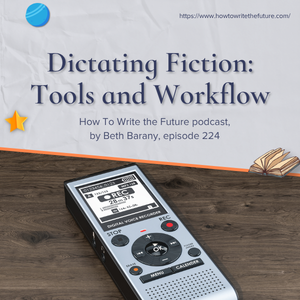
Dictating Fiction: Tools and Workflow, How To Write the Future podcast, episode 224
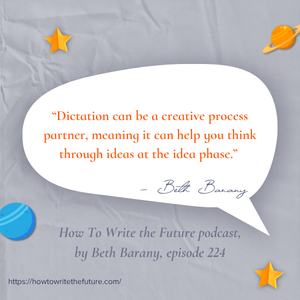
“Dictation can be a creative process partner, meaning it can help you think through ideas at the idea phase.” – Beth Barany
In the latest How To Write the Future podcast episode, titled “Dictating Fiction: Tools and Workflow,” host, Beth Barany shares how she uses dictation as a tool in her fiction and nonfiction writing process and why it’s been helpful to how she writes, plus she shares the apps or websites she’s found most useful. There’s also a special mention of the fiction dictation app from Sarah Elisabeth Sawyer.
***
Platforms the podcast is available on: Apple Podcasts | Buzzsprout | Spotify| YouTube
RESOURCES
Sarah Elisabeth Sawyer’s Fictation resources:
- Her app: https://www.fictateapp.com/r/RF3GGCAK
- Free Dictation for Authors Quick Start Guide is here.
- Fictation® course, the full digital course: (30% off for my audience) https://fictioncourses.thrivecart.com/fictation/?coupon=WRITETHEFUTURE (code: WRITETHEFUTURE)
- Her podcast: “The Confident Fiction Author”: https://fictioncourses.substack.com/s/the-confident-fiction-author-podcast
***
Support the podcast! https://ko-fi.com/bethbarany
Get the workbook: https://writersfunzone.com/blog/world-building-resources/
Join the Edit Lab! https://bethbarany.com/editlab
About the How To Write the Future podcast
The How To Write The Future podcast is for science fiction and fantasy writers who want to write positive futures and successfully bring those stories out into the marketplace. Hosted by Beth Barany, science fiction novelist and creativity coach for writers. We cover tips for fiction writers. This podcast is for readers too if you’re at all curious about the future of humanity.
This podcast is for you if you have questions like:
– How do I create a believable world for my science fiction story?
– How do I figure out what’s not working if my story feels flat?
– How do I make my story more interesting and alive?
This podcast is for readers, too, if you’re at all curious about the future of humanity.
Transcript for episode 224 Dictating Fiction: Tools and Workflow
Welcome and Focus
BETH BARANY: Hey everyone, Beth Barany here with How to Write the Future podcast. Today, I am going to talk about dictation for fiction writers. And if you’re watching on video, you’ll see I do not have my glasses on because I could not get rid of the glare. All right, if you’re new here, welcome.
How to Write the Future podcast is for science fiction and fantasy writers who are curious about improving their writing process, editing process, publishing, and marketing, and especially those who are interested in creating positive, optimistic stories so that we can put our new ideas of being into our stories and into the world. Because I believe that story is very powerful, and it is through story that we can reshape humanity for the good of all.
So that’s a little bit about me. Today, we’re gonna dive into dictation.
[00:55] Why Dictation Helps
So I am not speaking theoretically here today. I am speaking as someone who is now using dictation. Dictation can be a creative process partner, meaning it, it can help you think through ideas at the idea phase. And writers like me and others, and I’ll be mentioning a fabulous colleague of mine who’s working deeply in this space in a moment, it can really help us write faster, deal with physical limitations like I have to deal with, capture stories quickly, and it’s a great way to take rough drafts and move them into polished prose while keeping the writer 100% front and center. The writer’s responsible for the story, not AI. But there are AI tools involved in my process, and I will explain how I use them, and this might inspire you.
[01:46] Background and Tools
Now, just a little bit of background. I have been running a podcast for 4 years. I have been a teacher and a coach and a speaker for 20 years, and I am used to speaking off the cuff as a teacher, but I’m also used to preparing quickly and giving little dedicated talks on specific subjects, in my subject matter, teaching writers.
And I have been dictating nonfiction for years now. When I have an idea for my weekly newsletter, I would dictate it into the tools, and there’s lots of tools. Lately, it’s Voice Memo on my iPhone. I used to use Dragon, and I also have played with dictation right into Google Docs, which works pretty well.
And you can also dictate into the Notes app on your iPhone, and I’ve also played with dictating into Gmail. So these are all worthwhile tools. So it happened organically for me that since I was already dictating to-do lists and nonfiction articles, I just started dictating my stories after a bunch of time spending on dictating nonfiction.
And with my clients, I was dictating notes into the comments field in Word. Sometimes, dictating fiction, a sentence example for them, like, “Hey, re- you know, you could write it like this,” and I would dictate the prose into the comments section. So by the time just in the last few months that I started dictating fiction, I had all this practice.
[03:21] Practice and Speed Gains
So just to say, if you are wanting to dictate your fiction, maybe start out with the easy stuff, and maybe that’s nonfiction, or maybe that’s to-do lists or other ideas or just rambling. For years too, one more thing, is I have been sending messages back and forth using a voice message app called Voxer. So I was also in the habit of talking out my ideas, and including story ideas.
I am an audio processor, meaning I like to talk it out. My husband and I do that all the time. I have an idea. I’m like, “Can I just talk this out?” So if this is you as well, dictation for your fiction is probably right up your alley. It does take time and practice. Normally, what happens is in about 10 minutes, I can dictate 1,000 words, which normally would take me an hour to type.
For example, and I’ve been dictating short stories. I did a 1,500-word Henrietta the Dragon Slayer short story. I did that in about 12 minutes. I also dictated a novella in an entirely new series, my fantasy romance adventure series. I did a 13,000-word novella in about two weeks, and I’m every day drafting memos, like I said, for nonfiction for my Creativity Sparks newsletter.
[04:41] My Dictation Workflow
Now, here’s the process. First, I dictate into the Voice Memo app, and then I have it set up. I actually Vibe coded a, an app so I can talk right into Voice Memo. I created a shortcut on my iPhone so I could dictate into the Voice Memo. It would land in Notion. I could go into Notion, and I talk to Notion, and I tell it to compile all of the notes for the story that I’ve dictated and then I ask Notion to clean up my grammar and the speech-to-text errors that voice memo has made.
And then I copy and paste that, and I move it into Microsoft Word to edit. So I have used AI to clean up my grammar and the speech-to-text errors, and also I have trained it so it knows my character names, so it can make good guesses. And then I tell it- and this is an AI functionality, I tell it to indicate anything that was unclear in the transcript and to bracket it for me so when I’m going through the edits myself, no AI, I can see where the errors were.
Now, alternatively, I’ve also dictated into Descript where I record and edit my podcasts. And there the transcript is actually much cleaner, and from there I just download the transcript, and sometimes I will throw it back into Notion to correct grammar and any weird errors, and then put it back into Microsoft Word to edit. So this really works well for me because I have- I’m dealing with ongoing repetitive stress injuries.
I have physical limitations in my hands. Also, I can walk and talk, which is one of my very favorite things to do, and it’s a low pressure activity, for me. And I can go sit at the cafe, put on a headset, and talk right into the voice memo app or uh, this also helps me right now create these short stories that are gonna be for the fans, and it helps me also work on going from short story to script, which is something else I’m working on.
[06:39] Using AI the Right Way
Now, just to be clear, I use Notion AI in a very specific way to only clean up, organize, and call out anything that is grammatically incorrect or not correct because it’s transcription. I’d never use AI to write my own stories. That’s no fun. I would not enjoy that.
So you may wanna try this to record right into the voice memo app. Now it exists that it’s on the computer as well, so it’s easy to copy and paste the transcription, get that cleaned up, and put it into a Word doc. I also use Notion to organize all my thoughts so I can easily reference it again later on.
The transcript is always there, so I always have the raw information, and when I’m recording into Descript, I also have the raw audio so I can listen to myself and catch anything the transcription and cleanup missed.
[07:28] Resources to Learn More
So here’s my resource for you, and there’ll be more resource notes in the resource area for this podcast.
My colleague and friend, Sarah Elizabeth Sawyer, has a fiction dictation app and courses, and other materials. I developed my process on my own without consulting her material or anybody else’s. I know there’s books on this topic as well. But I highly recommend Sarah as a resource because she has done some amazing things with her app, and she even offers tutorials and all kinds of good stuff.
So be sure to check out her resource in the resource section that is connected to this podcast, uh, if you need some guidance and support and training and wanna check out her really cool app. All right.
[08:13] Wrap Up and Next Steps
Do let me know if you are dictating your fiction or if you have any questions about dictating fiction.
I will point you in the right direction. Most likely I’ll probably point you to Sarah Elizabeth Sawyer’s app and material. But there’s probably some other things too. All right. That’s it for this week, everyone. Write long and prosper.
Loved this episode? Leave us a review and rating here:
https://www.buzzsprout.com/2012061
Need instructions on how to leave a review? Go here.
***
Support our work for creatives: leave a tip: https://ko-fi.com/bethbarany
***
ABOUT BETH BARANY
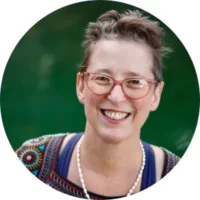
Beth Barany is an award-winning fantasy and science fiction novelist and creativity coach for writers. They help novelists write, revise, and publish stories that matter—blending practical craft guidance with a big-picture commitment to imagination, meaning, and possibility.
Learn more about Beth Barany at these sites:
Author site / Coaching site / School of Fiction / Writer’s Fun Zone blog
CONNECT
Twitter: https://twitter.com/BethBarany
LinkedIn: https://www.linkedin.com/in/bethbarany/
Email: Beth@BethBarany.com
CREDITS
- EDITED WITH DESCRIPT: https://www.descript.com?lmref=_w1WCA (Refer-a-Friend link)
- MUSIC CREDITS : Music from Uppbeat (free for Creators!): https://uppbeat.io/t/soundroll/fuzz-buzz License code: UMMKDRL02DFGKJ0L. “Fuzz buzz” by Soundroll. Commercial license: https://musicvine.com/track/soundroll/fuzz-buzz.
- DISTRIBUTED BY BUZZSPROUT: https://www.buzzsprout.com/?referrer_id=1994465 (Refer-a-Friend link)
- SHOW PRODUCTION BY Beth Barany
- SHOW CO-PRODUCTION + NOTES by Kerry-Ann McDade
- EDITORIAL by Iman Llompart
c 2026 BETH BARANY
For more “How To Write the Future” episodes, go here.
If you’d like to invite Beth onto your podcast, drop her a note here.
✅ Like the work we do? Tip us! https://ko-fi.com/bethbarany